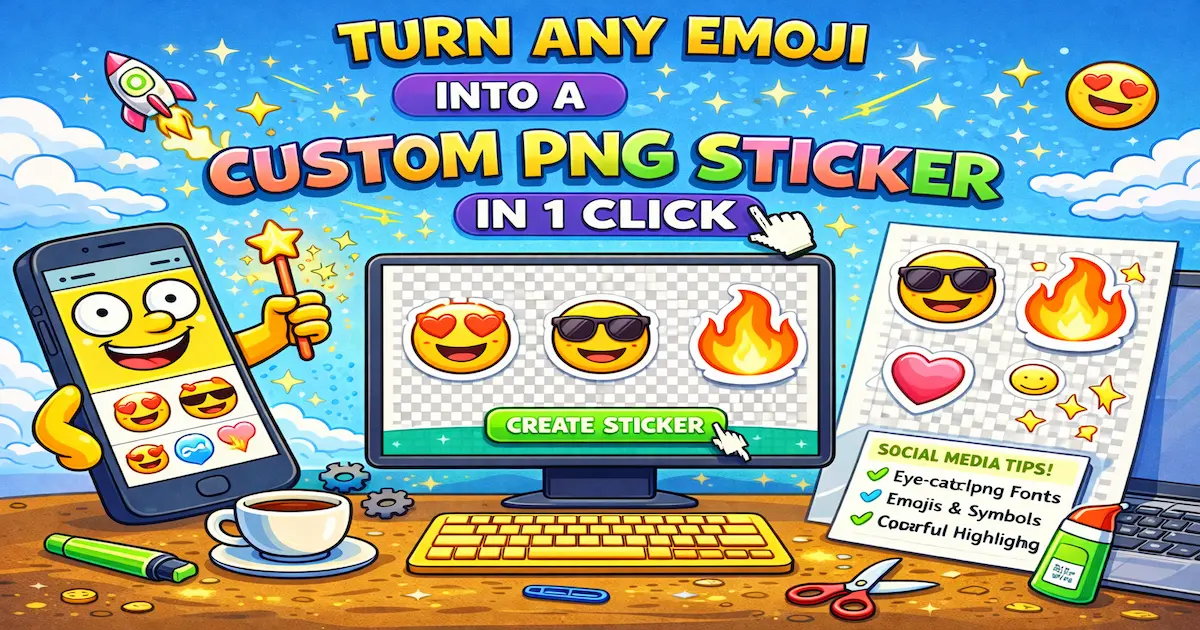
Font4Social has two different emoji workflows: copy emoji as Unicode text, or turn emoji into sticker-style PNG images.
Both are useful, but they solve different problems. If you only want to write new post 🚀, normal emoji is enough. If you want to place a large emoji on a Story, Canva design, thumbnail, slide, or sticker pack, PNG is the better format.
This guide explains when to use each mode and how to avoid blurry or broken stickers.
Text Emoji vs PNG Sticker#
Unicode emoji are text characters. They are small, fast, and work inside captions, bios, comments, messages, usernames, and statuses.
PNG stickers are image files. They can be larger, outlined, transparent, and placed on top of photos or designs.
| Goal | Best Choice |
|---|---|
| Add emoji to an Instagram bio | Text emoji |
| Add emoji to a TikTok caption | Text emoji |
| Decorate an Instagram Story | PNG sticker |
| Build a Canva graphic | PNG sticker |
| Make a Telegram reaction sticker | PNG sticker |
| Add a visual icon to a slide | PNG sticker |
| Label a Discord channel | Text emoji |
The simple rule: if it lives inside a sentence, use text. If it floats on a design, use PNG.
How Sticker Mode Works#
In sticker mode, the tool renders the emoji as a PNG image instead of copying only the character.
That gives you:
- A transparent background
- A larger image than normal emoji text
- A sticker-style outline
- A file you can use in design apps
- A more consistent look across devices
You can start from the emoji and sticker section, choose an emoji, and use the sticker option.
Mobile Workflow#
Most sticker use happens on a phone, so this is the simplest flow.
- Open Font4Social.
- Find an emoji that fits your design.
- Use the sticker or PNG option.
- Copy or download the sticker.
- Open Instagram, Telegram, Canva, WhatsApp, or another app.
- Paste or import the PNG.
If paste does not keep transparency, download the file and import it manually.
Desktop Workflow#
Desktop is better when you are making graphics.
- Open the emoji sticker tool in your browser.
- Pick the emoji.
- Download the transparent PNG.
- Drag it into Canva, Figma, PowerPoint, Google Slides, or your editor.
- Resize it inside the design.
Avoid screenshotting emoji from the page. A downloaded PNG will usually look cleaner than a stretched screenshot.
Where PNG Emoji Stickers Work Best#
Instagram Stories#
Use stickers to point at a link, add a reaction face, decorate a selfie, or make a simple Story template feel more personal.
Good examples:
👇 near a link sticker
✨ around a product photo
😂 as a reaction sticker
Canva Designs#
PNG emoji are useful in Canva when you need quick visual accents without hunting for icons.
Use them in:
- Social posts
- Story templates
- Thumbnails
- Moodboards
- Classroom slides
- Small product graphics
Telegram and Chat Stickers#
For chat stickers, choose emoji with clear emotions:
😂 😭 😍 😳 🤯 😴 😡 🥹
Clear reactions are more useful than random decorative emoji.
Discord Community Graphics#
For Discord, PNG stickers are useful in event graphics, welcome images, rules banners, and memes. For channel names, normal Unicode emoji usually stay cleaner.
Sticker Ideas by Style#
Cute#
🌸 ✨ 💖 🦋 ☁️
Best for soft Instagram Stories, lifestyle graphics, and personal posts.
Gaming#
🎮 👾 ⚡ 🏆 🔥
Best for Discord, Twitch, Steam, and game-night posts.
Creator / Productivity#
🚀 ✅ 📌 💡 📊
Best for tutorials, announcements, and project updates.
Food#
☕ 🍕 🍓 🍰 🧋
Best for cafe posts, menus, food stories, and cozy edits.
Common Problems#
The Background Turns Black or White#
Some apps flatten pasted clipboard images. If this happens, download the PNG and upload it manually instead of pasting.
The Sticker Looks Blurry#
You may be using a small preview or screenshot. Use the downloaded PNG and avoid enlarging it beyond a reasonable size.
The Sticker Covers Important Text#
Move it away from names, links, faces, prices, or instructions. Stickers are accents, not the main message.
The Style Feels Messy#
Do not mix too many visual styles in one design. Pick one emoji family or mood and stay consistent.
Best Practices#
- Use one to three stickers per design.
- Keep important words in normal text.
- Test stickers on both light and dark backgrounds.
- Keep stickers away from Story UI edges.
- Use PNG for visuals and Unicode emoji for text.
- Download the file when clipboard paste breaks transparency.
For a broader PNG workflow, read how to make emoji stickers as PNG. For text emoji ideas, see the emoji guide for social media and best emojis for Instagram bios.
FAQ#
Can I copy an emoji as a PNG?#
Yes. Use sticker mode to turn the emoji into a PNG image instead of copying only the Unicode character.
Is PNG better than normal emoji?#
Not always. PNG is better for visual designs. Normal emoji are better for captions, bios, messages, and statuses.
Why does transparency disappear after pasting?#
Some apps compress or flatten clipboard images. Download the PNG and import the file manually.
Can I use emoji PNG stickers in Canva?#
Yes. Download the PNG, upload it to Canva, and place it like any other image.
Can I use these stickers in Telegram?#
You can use PNG stickers in Telegram workflows, but Telegram may have size and format requirements for formal sticker packs. Test one file before making a full set.
Final Advice#
Emoji stickers are strongest when they are simple and useful. Use them to point, react, decorate, or add a recognizable mood.
If the emoji is part of text, keep it as Unicode. If it is part of the layout, turn it into a PNG sticker.