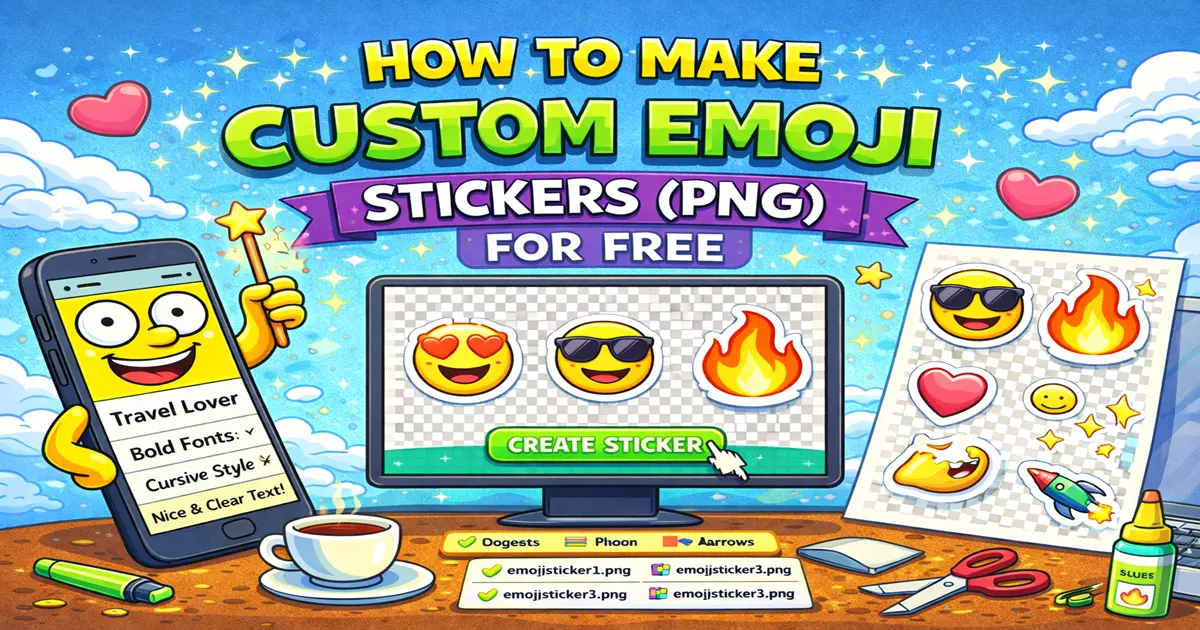
Emoji are easy to copy as text, but sometimes text emoji are not enough. If you want to place an emoji on a story, thumbnail, Canva design, slide, sticker pack, or image post, you usually need it as a PNG file.
A PNG sticker gives you more control: it can have a transparent background, a clear outline, and a consistent look across devices.
This guide shows when to use PNG emoji stickers, how to make them, and how to avoid the common problems that make stickers look blurry or awkward.
Emoji vs PNG Sticker#
A normal emoji is text. You can paste it into a caption, bio, message, comment, or status:
✨ new post
🎮 gaming night
☕ coffee first
A PNG sticker is an image file. You use it when you want the emoji to behave like a graphic element.
| Use Case | Best Format |
|---|---|
| Instagram bio | Unicode emoji |
| TikTok caption | Unicode emoji |
| Discord status | Unicode emoji |
| Instagram Story decoration | PNG sticker |
| Canva design | PNG sticker |
| Telegram sticker pack | PNG sticker |
| YouTube thumbnail | PNG sticker |
| Presentation or poster | PNG sticker |
If the emoji is part of a sentence, use Unicode. If the emoji is part of a visual layout, use PNG.
Why Transparent PNG Matters#
The most useful sticker format is a transparent PNG.
Transparency means the sticker has no solid square background. You can place it on:
- Photos
- Gradients
- Dark backgrounds
- Light backgrounds
- Story templates
- Canva designs
- Profile graphics
Without transparency, you often get an ugly white or black box around the emoji. That instantly makes the design feel less polished.
Simple Workflow#
Use this workflow when you want to turn an emoji into a clean sticker image.
- Open the Font4Social emoji and sticker tool.
- Pick or paste the emoji you want.
- Switch to the sticker or PNG option if needed.
- Preview the emoji at a larger size.
- Download the transparent PNG.
- Add it to your Story, Canva design, chat, slide, or sticker pack.
That is the whole basic process. The important part is not making the sticker complicated. The important part is choosing an emoji that fits the design.
Good Emoji Sticker Ideas#
Some emoji work especially well as stickers because they are visually clear even when enlarged.
Reactions#
😂 😭 😍 😳 😎 🤯 🥹
Use these for group chats, story replies, meme-style posts, and casual designs.
Aesthetic Accents#
✨ 💖 🌸 🦋 🌙 ⭐ ☁️
Use these for beauty, lifestyle, moodboards, soft edits, and Instagram Stories.
Gaming and Energy#
🎮 👾 ⚡ 🔥 🏆 💜 🎯
Use these for Discord posts, Steam graphics, gaming thumbnails, and community announcements.
Food and Coffee#
☕ 🍕 🍓 🍰 🧋 🍜 🥐
Use these for cafe posts, food stories, menus, and cute lifestyle edits.
Calls to Action#
👇 👉 🔔 ✅ 📌 🚀
Use these when you want to point at a link, button, offer, update, or announcement.
Where to Use Emoji PNG Stickers#
Instagram Stories#
PNG emoji stickers are useful when Instagram's built-in stickers do not match your style. You can use them to:
- Point to a link sticker
- Decorate a photo
- Cover part of an image
- Add a reaction face
- Build a consistent visual theme
Keep the sticker large enough to read, but not so large that it hides the main photo.
Telegram Sticker Packs#
Telegram sticker packs work best when each sticker has a clear expression or mood. Instead of making 30 random stickers, build a small set:
happy / sad / shocked / yes / no / love / sleepy / angry
This makes the pack more useful in real conversations.
Canva Designs#
Emoji stickers work well in Canva when you need fast visual accents. They can make a plain graphic feel more social and less corporate.
Good Canva uses:
- Post templates
- Story templates
- YouTube thumbnails
- Digital notes
- Product mockups
- Classroom slides
If the design already has many colors, use fewer stickers.
Discord and Community Graphics#
For Discord servers, PNG stickers can be used in announcements, rules graphics, event banners, or community memes.
For plain channel names and statuses, normal Unicode emoji are usually better because they stay as text.
Presentations and Documents#
Emoji stickers can make slides friendlier, especially for tutorials, school projects, and lightweight explainers.
Use them like icons, not like decoration everywhere.
Size and Quality Tips#
Do Not Enlarge Tiny Emoji Screenshots#
Avoid taking a screenshot of an emoji and stretching it. Screenshots become blurry fast.
Use a generated PNG instead, so the sticker starts at a higher resolution.
Keep the Outline Simple#
A white outline helps stickers stand out on busy backgrounds. But too much outline can make the sticker look heavy.
Good rule:
- Light background: smaller outline
- Dark background: stronger outline
- Photo background: outline is usually helpful
Test at Real Size#
A sticker can look great while editing and too small after posting. Before using it, zoom out or preview it at the final size.
If the emoji expression is not clear, choose a simpler emoji.
Common Mistakes#
Using PNG When Text Emoji Is Better#
If you only need this:
new video 🔥
Do not overcomplicate it. Use normal emoji.
Too Many Stickers in One Design#
One or two strong stickers usually look better than a cluster of ten.
Ignoring Platform Cropping#
Stories, thumbnails, and profile graphics can crop edges. Keep important stickers away from the very edge.
Mixing Too Many Styles#
Apple-style emoji, Android-style emoji, flat icons, 3D stickers, and random clipart in one design can feel messy. Pick one visual family.
Forgetting Accessibility#
If the sticker communicates important information, also write that information in text. A sticker should support the message, not replace it.
Fast Sticker Recipes#
Cute Story Accent#
🌸 + ✨ + soft text
Use for beauty, lifestyle, and personal updates.
Gaming Announcement#
🎮 + ⚡ + event title
Use for Discord events, game nights, streams, and server posts.
Link Sticker Pointer#
👇 + short CTA
Use near a link sticker or profile link.
Moodboard Detail#
🌙 + ⭐ + ☁️
Use as small corner decorations, not the main content.
For more combinations, see emoji combos for social media bios and the broader emoji guide for social media.
Troubleshooting#
The Background Is Not Transparent#
Make sure you downloaded a PNG, not a JPG or screenshot. JPG does not support transparency.
If an app shows a black or white background, try importing the file into Canva or another editor that supports transparent PNG files.
The Sticker Looks Blurry#
You may be using a small preview image or screenshot. Download the full PNG again and avoid enlarging it too much.
The Sticker Looks Different in Another App#
Normal Unicode emoji can render differently across platforms. A PNG should look more consistent, but some apps may compress uploaded images.
If consistency matters, upload the PNG directly instead of copying it through several apps.
The Sticker Is Hard to See#
Add contrast. Use a clearer emoji, a stronger outline, or a simpler background.
FAQ#
Can I make emoji stickers for free?#
Yes. You can use Font4Social to turn emoji into sticker-style PNG files without needing Photoshop.
Are emoji stickers the same as Unicode emoji?#
No. Unicode emoji are text characters. PNG stickers are image files created from emoji.
What format should I download?#
Use PNG when you need transparency. Avoid JPG for stickers because it creates a solid background.
Can I use emoji stickers in Instagram Stories?#
Yes. Download the PNG, then add it as an image or sticker layer in your Story workflow.
Can I use the same sticker in Canva and Telegram?#
Usually yes, but each platform may resize or compress images. Test the final result before making a whole sticker set.
Final Advice#
Emoji stickers are best when they make a design clearer, funnier, or more recognizable. Start with one strong emoji, keep the background transparent, and test the sticker at the size people will actually see.
Use Unicode emoji for text. Use PNG stickers for visuals. That simple split keeps your workflow clean.