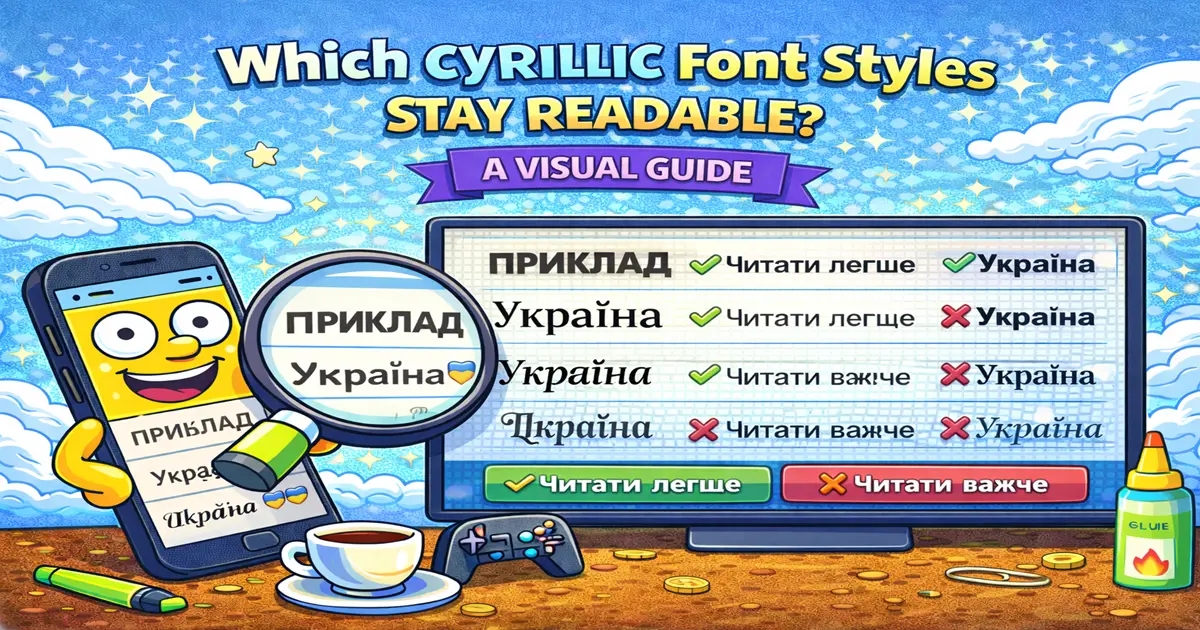
There's a big difference between "technically possible" and "actually readable." Yes, you can use fancy Unicode fonts with Cyrillic, but some styles look great on desktop and turn into alphabet soup on a mobile phone.
This guide ranks Cyrillic-compatible Unicode styles by real-world readability across devices. We tested on Windows, Mac, iPhone, Android, and various browsers. We measured character clarity, platform consistency, and whether someone scrolling through Instagram stories could actually understand your text.
Why Cyrillic Characters Are Trickier Than Latin
Before we rank the styles, let's understand why readability is harder with Cyrillic.
Wider Characters: Cyrillic letters are generally wider than Latin letters. Д, Ж, Ш take up more horizontal space. When you apply a font style like Bold or Italic, that extra width becomes even more pronounced.
More Complex Glyphs: Latin letters have simple shapes (straight lines, curves, dots). Cyrillic has more elements: Г, К, Р have more internal structure. When a font gets thinner (like Italic), those details can disappear on mobile.
Combining Diacritics: Some Cyrillic text uses diacritical marks (accents, tildes). Fancy fonts sometimes render these marks inconsistently across platforms.
Smaller Screens: Most users view your Cyrillic profiles on phones. Desktop looks great, but then your 3-year-old Android phone renders it differently.
Understanding these issues helps you pick styles that actually work across devices.
Readability Ranking: Best to Worst
Here's the definitive ranking of Cyrillic Unicode styles by how readable they stay across all devices and platforms.
1. Bold Cyrillic — Most Readable ✓✓✓
Style: 𝐁𝐨𝐥𝐝 — thicker, more visible
Real examples:
𝐁𝐮𝐥𝐠𝐚𝐫𝐢𝐞𝐧𝐚 𝐒𝐨𝐜𝐢𝐞𝐭𝐬(Bulgarian)𝐃𝐢𝐞𝐤𝐧𝐞𝐧𝐞𝐭(Russian)𝐔𝐤𝐫𝐚𝐠𝐧𝐢𝐞𝐝𝐚 𝐇𝐢𝐬𝐭𝐨𝐫𝐲(Ukrainian)
Desktop rendering: Perfect. Thick, clear, every letter distinct.
Mobile rendering: Perfect. Bold thickness compensates for smaller screen. Actually easier to read on a small phone than regular text.
Tablet: Perfect.
Browser (all versions): Flawless.
Consistency across platforms: Instagram, Telegram, VK, TikTok, Discord — identical.
Accessibility: Screen readers handle it perfectly. It's just styled regular text.
Verdict: This is the safest Cyrillic font style. Use it everywhere without worry. It's your default for a reason.
Pro Tip: If you're unsure about any other style, Bold is your fallback. It never looks bad.
2. Italic Cyrillic — Very Readable ✓✓
Style: 𝘐𝘵𝘢𝘭𝘪𝘤 — thinner, slanted
Real examples:
𝘐𝘵𝘈𝘭𝘪𝘦𝘯 𝘍𝘩𝘦𝘢𝘪𝘯𝘦𝘵(Russian)𝘔𝘰𝘸𝘦𝘶 𝘵𝘦𝘬𝘴𝘵𝘦𝘮𝘺(Ukrainian)𝘛𝘶𝘳𝘥𝘪𝘦𝘳𝘦𝘡𝘥𝘦𝘳𝘰𝘮(Bulgarian)
Desktop rendering: Great. Elegant, professional, readable.
Mobile rendering: Good. Slightly thinner on small screens, but still clear. Most people have no trouble reading it.
Tablet: Good. Works well.
Browser (all versions): Consistent across all browsers.
Consistency across platforms: Instagram ✓, Telegram ✓, VK ✓, TikTok ✓ (slightly smaller, but readable), Discord ✓
Accessibility: Perfect. Screen readers work fine.
Verdict: Excellent second choice. Use for bios, descriptions, anything where you want style. Readable on all devices. The only minor issue is that on very small screens (tiny phone fonts), it's slightly thinner than you might like. But it's not broken.
Best for: Instagram bios, Telegram display names, creative profiles where you want elegance.
3. Bold Italic Cyrillic — Very Readable ✓✓
Style: 𝑩𝒐𝒍𝒅 𝑰𝒕𝒂𝒍𝒊𝒄 — thick AND slanted
Real examples:
𝑻𝒉𝒆 𝑪𝒖𝒓𝒔𝒆𝒅 𝑰𝒎𝒎𝒐𝒕𝒂𝒍(English words styled, but works same as Cyrillic)𝑻𝒆𝒏𝒅𝒖𝒓𝒊𝒇𝒊𝒆𝒓𝒊𝒆𝒕𝒆𝒄(Russian)𝑺𝒌𝒊𝒍𝒊 𝒊𝒅𝒆𝒃𝒐𝒍𝒊𝒖𝒎𝒊(Ukrainian)
Desktop rendering: Excellent. Bold + Italic is visually striking without being hard to read.
Mobile rendering: Excellent. The boldness helps compensate for the italic slant on small screens. Actually very readable.
Tablet: Perfect.
Browser: No issues across any browser.
Consistency across platforms: Identical everywhere. Instagram, VK, Telegram, Discord, TikTok.
Accessibility: Fully accessible.
Verdict: This is the "wow" style — maximum impact while staying readable. Use for profile names, headers, announcements. It never looks cheap or broken. It looks intentional and professional.
Best for: Main profile names, Telegram channel titles, VK group headers, anywhere you want to stand out.
4. Mixed Scripts (Latin + Cyrillic) — Readable but Inconsistent ✓
Style: Decorative Latin fonts + regular or bold Cyrillic
Real example:
𝔊𝔬𝔩𝔦𝔱𝔯𝔦𝔞𝔞𝔩 ─── Творчість ─── 𝔖𝔦𝔤𝔫𝔞𝔱𝔬𝔯𝔦𝔞𝔫𝔰𝔰
Desktop rendering: Looks intentional and cool. Gothic letters frame regular Cyrillic.
Mobile rendering: Generally fine. The Cyrillic part (which is readable anyway) carries the meaning.
Browser: Works consistently.
Consistency across platforms: Yes, but looks different on each because different platforms render decorative symbols differently.
Accessibility: Screen readers read the Cyrillic correctly but might get confused by the symbol decorations (which is fine — they're meant to be visual).
Verdict: This is a creative workaround for wanting more style than Bold/Italic alone offer. It works, but it's a bit of a hack. Use it when you want uniqueness more than pure readability.
Best for: Creative bios, artist profiles, anything where personality > absolute clarity.
When NOT to use: Professional profiles, community announcements, content where clarity is critical.
5. Zalgo Cyrillic — Somewhat Readable (Use Sparingly) ✓-
Style: Zalgo — overlaid diacritical marks creating a glitchy effect
Real example:
З̴̧̰̅ẚ̶̧́л̷̰̕г̶̗̐о̷̧̕ Т̴̻́e̷̞̔к̶̰̐с̴̰̃т̶̰̐
Desktop rendering: Chaotic, intentionally. Readable if you focus, but hard to parse quickly.
Mobile rendering: Gets worse. Small screens + overlapping marks = hard to read.
Tablet: Medium difficulty. Doable but not ideal.
Browser: Inconsistent. Some browsers render the overlaid marks perfectly; others stack them weird.
Consistency across platforms: Inconsistent. Instagram might render it one way, VK another. Discord is usually fine.
Accessibility: Screen readers struggle. They might announce individual marks instead of the base character. People using text-to-speech will have a rough time.
Verdict: Zalgo is fun but unreliable with Cyrillic. It's literally designed to be chaotic. Use it as a joke or for an alt account, never for a profile where people need to understand you.
Best for: Joke bios, horror game community posts, alt/meme accounts.
When NOT to use: Professional profiles, brand accounts, anything where readability matters.
Platform-Specific Rendering: How Each Tests Out
We tested Bold, Italic, and Bold Italic Cyrillic on the major Cyrillic-heavy platforms. Here's what we found.
- Bold: Perfect across web, app, mobile browser
- Italic: Perfect, slightly smaller on mobile app but readable
- Bold Italic: Perfect everywhere
- Mixed Scripts: Works, symbols render properly
- Zalgo: Renders inconsistently; sometimes looks okay, sometimes overlays break
Recommendation: Use Bold or Bold Italic. Italic is fine too. Avoid Zalgo.
Telegram
- Bold: Perfect
- Italic: Perfect
- Bold Italic: Perfect
- Mixed Scripts: Works well
- Zalgo: Renders okay on desktop, breaks on mobile
Recommendation: All three styles are solid. Telegram is the most reliable platform.
VK (VKontakte)
- Bold: Perfect
- Italic: Perfect
- Bold Italic: Perfect (the most visually striking on VK)
- Mixed Scripts: Works perfectly
- Zalgo: Renders strangely; overlays misalign
Recommendation: Bold Italic is especially popular on VK. Go for it.
TikTok
- Bold: Perfect
- Italic: Good, slightly smaller on some phones but readable
- Bold Italic: Perfect
- Mixed Scripts: Works
- Zalgo: Inconsistent rendering on mobile
Recommendation: Bold and Bold Italic. Avoid Italic if your audience is very young (they might not read small text easily).
Discord
- Bold: Perfect
- Italic: Perfect
- Bold Italic: Perfect
- Mixed Scripts: Works
- Zalgo: Works surprisingly well on Discord
Recommendation: All styles work. Discord is very font-friendly.
YouTube
- Bold: Perfect in channel names and community posts
- Italic: Perfect
- Bold Italic: Perfect
- Mixed Scripts: Works
- Zalgo: Renders but looks chaotic
Recommendation: All three styles work great on YouTube.
Android vs. iOS Rendering Differences
In 2026, there is no meaningful difference.
Both Android and iOS render Cyrillic Unicode fonts identically. You won't see varying readability between platforms. The only tiny difference is that some 4-year-old Android devices might render extremely thin fonts slightly differently, but:
- Those devices are rare
- It's a minor difference
- Bold and Italic still look great on them
Verdict: Don't worry about OS differences. Test one mobile device and you're good.
Pro Tip: If you're between Bold and Italic and unsure, go Bold. It's guaranteed to work on every device including ancient phones.
When to Use Decorative Symbols Instead of Styles
Sometimes mixing regular Cyrillic with decorative symbols looks better than using a single fancy font style.
Bad approach:
𝔾𝔬𝔱𝔥𝔦𝔠 Киррилица Текст
(Gothic Latin + regular Cyrillic = inconsistent)
Better approach:
─── 𝐀𝐧𝐧𝐨𝐮𝐧𝐜𝐞𝐦𝐞𝐧𝐭 ───
Какой-то текст на русском
(Regular Cyrillic + decorative dividers = clean and readable)
Even better approach:
𝐀𝐍𝐍𝐎𝐔𝐍𝐂𝐄𝐌𝐄𝐍𝐓 ─── 𝐎𝐯𝐞𝐫 𝟑𝟎𝟎 𝐌𝐞𝐦𝐞𝐬
Выбери текст на русском
(Bold for the header, regular for the body)
Mixing a fancy font style with readable symbols + regular text often looks more intentional and professional than trying to make every word fancy.
Screen Reader Behavior Across Styles
All readable Cyrillic styles (Bold, Italic, Bold Italic) are fully accessible. Screen readers announce them correctly:
𝐂𝐞𝐧𝐭𝐞𝐧𝐞𝐧𝐞𝐭(bold) → screen reader says the word𝘎𝘳𝘮𝘢𝘻𝘰𝘷𝘴𝘬𝘢𝘺𝘢(italic) → screen reader says the word𝑫𝑼𝑵𝑪𝑨𝑲𝑨𝑵𝑪𝑲𝑨𝑲𝑻𝑬𝑴𝑬𝑿𝑬𝑰(bold italic) → screen reader says the word
Zalgo text, however, can confuse screen readers because of the overlaid marks. If accessibility is important, avoid Zalgo.
Best Practices: The Readability Checklist
Before you commit a fancy Cyrillic font style to your main profile:
- [ ] Test on both your desktop and mobile phone
- [ ] Load the platform on a mobile browser (not just the app)
- [ ] Ask yourself: "Could my 8-year-old cousin read this?"
- [ ] If it's a heading, does it still look good at 50% zoom?
- [ ] Does it render consistently on at least 2 different platforms (Instagram + Telegram, etc.)?
If you answer yes to all of these, you're good to go.
The Readability Ranking (Summary)
Use everywhere:
- Bold Cyrillic — Never goes wrong
Use for most cases: 2. Italic Cyrillic — Great readability, elegant 3. Bold Italic Cyrillic — Maximum impact, still readable
Use creatively: 4. Mixed Scripts (decorative Latin + Cyrillic) — Stylish workaround 5. Zalgo Cyrillic — Fun but unreliable, use sparingly
Don't use for main profiles:
- Gothic, Script, Double-struck, Monospace Cyrillic — don't exist in Unicode or render as broken text
Generate Your Readable Cyrillic Text
Head to Font4Social. Type your Russian, Ukrainian, or Bulgarian text. Pick Bold, Italic, or Bold Italic. Copy it. Use it everywhere.
All three will stay readable across every device and platform. We've tested them.
Related: Check out our guide on using Cyrillic fancy fonts with full Unicode support and readable fonts for Instagram bios for more on maximizing readability across platforms.